Features
All built in.
For €19 – once.
100 games, your old Windows programs, office, browser and email, an app shop and protection: Kairo brings what you would otherwise need lots of programs for – on your old PC. No subscription, no ads.
- 100games
- 12programs built in
- 4tiers for every PC
- 0ads, no subscription
Games
100 games. Already built in.
Kairo’s own collection – no ads, no internet, no in-app purchases. From platformers to chess against the computer. Kairo remembers your high scores.
- 19 Cards
- 27 Puzzles
- 21 Board
- 17 Skill
- 5 Adventure
- 11 Words & dice
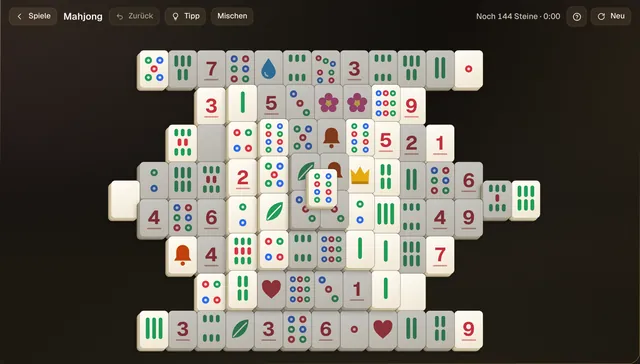
MahjongPuzzles144 tiles, with hints and shuffle. 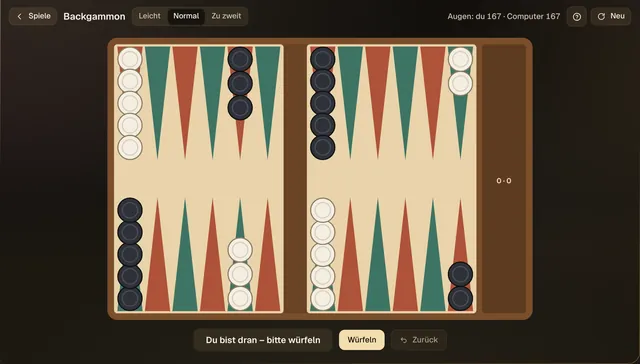
BackgammonBoardAgainst the computer or two players on one PC. 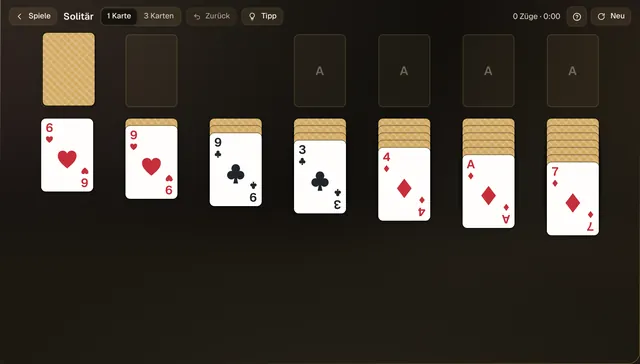
SolitärCardsDraw one or three – the classic. 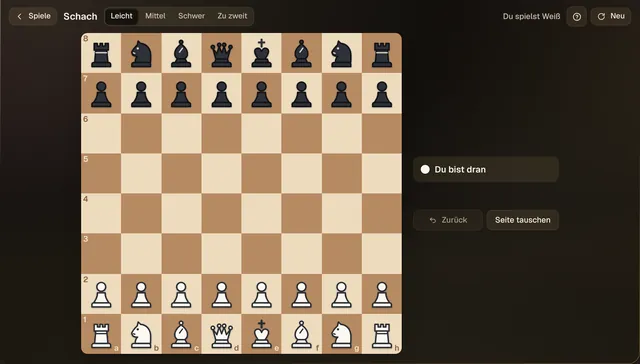
SchachBoardAgainst the computer at three levels – or two players. 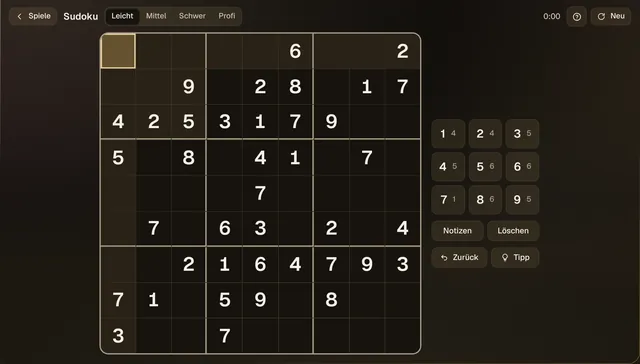
SudokuPuzzlesNumber puzzles to unwind. 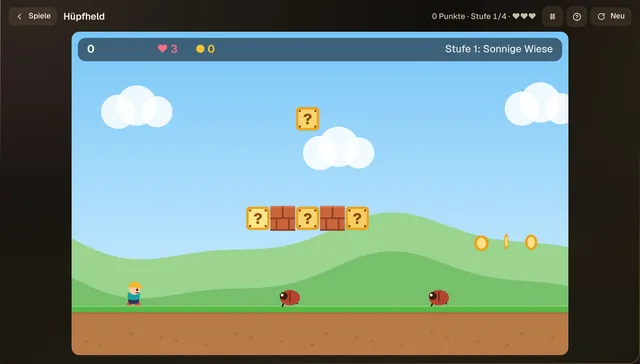
HüpfheldPlatformerJump, collect coins, dodge beetles – four stages. 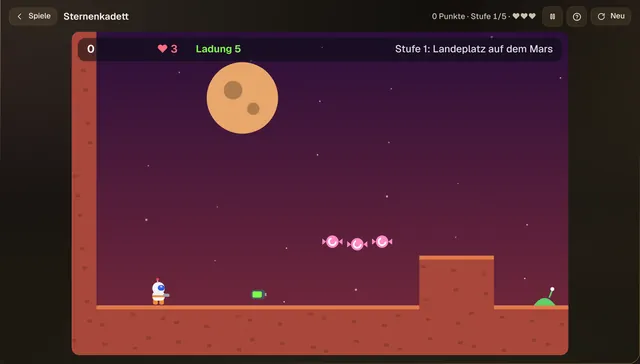
SternenkadettSpace adventureFive stages, starting at the landing site on Mars. 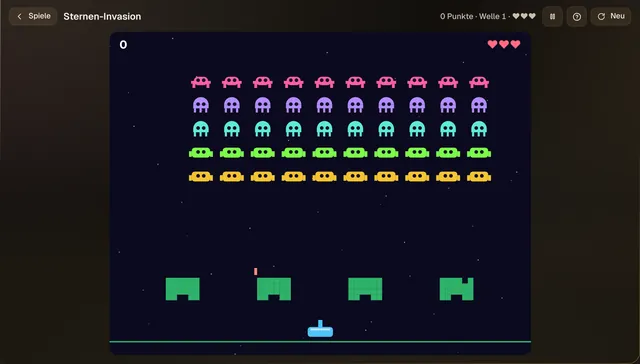
Sternen-InvasionSpace classicWave after wave – stop them. 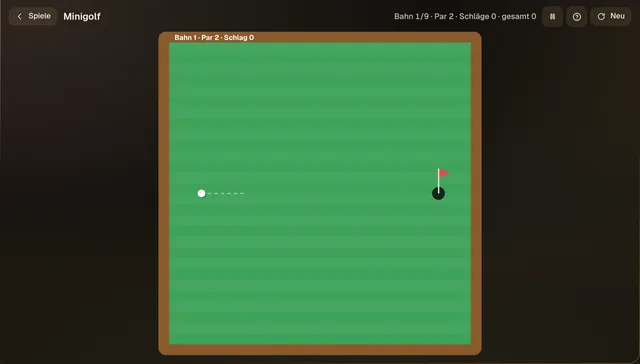
MinigolfSkillNine holes, one club. 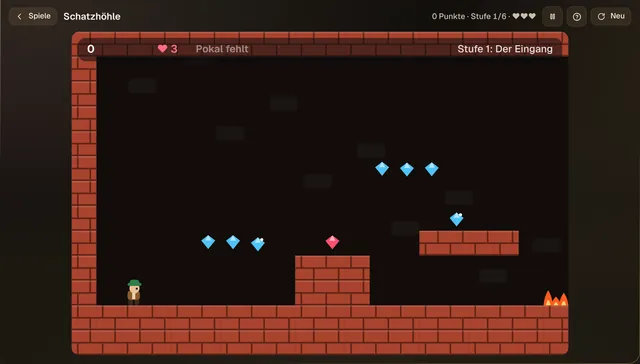
SchatzhöhleCave adventureSix stages with gems – and fire. 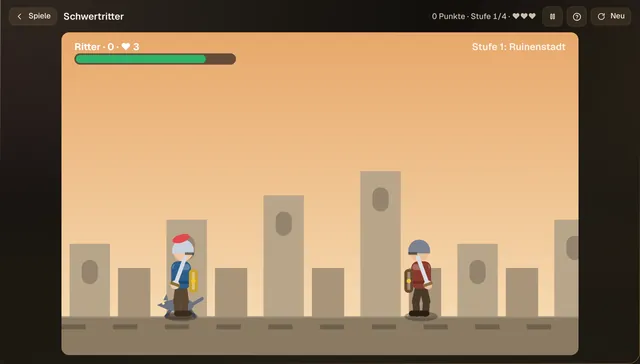
SchwertritterKnight fightSword in hand through four stages. 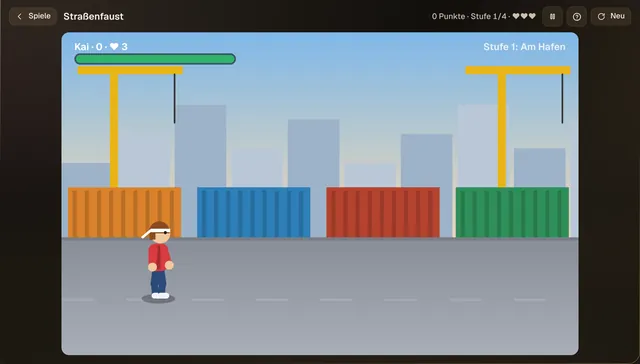
StraßenfaustBeat ’em upFour stages, starting at the harbour.
Real screenshots from Kairo. All games are Kairo’s own, with their own names. Play with mouse or keyboard.
Windows programs
Your old Windows programs.
The favourite game on CD, the household budget program from years ago: many older Windows games and programs run on Kairo.
- A double-click is enough: installer files (.exe, .msi), also from ZIP, RAR and 7z archives.
- CDs without a drive: Kairo inserts CD images (.iso, .cue/.bin) like a real CD – including games with several discs.
- A traffic light first: runs, probably, PC too weak or won’t run – with a reason you can understand.
- Like any app: the program gets its own icon in the Kairo button and can be pinned.
- Sealed off: Windows programs only see their own area, not the rest of your folders.
Honestly: newer games with copy protection or anti-cheat don’t run. The traffic light is a prediction – you know for sure after the first start. After the 30 trial days you need the licence to install new Windows programs.

Work and browse
Everything for every day.
Well-known programs, already set up and in German. They open as real windows – two side by side with the Windows key and an arrow, maximised in full screen all the way down.
- WebChromium, the basis of Google Chrome – with tabs, bookmarks and search via DuckDuckGo.
- E-Mail and KalenderOutlook on the web: inbox, spam filter and appointments.
- SchreibenLetters and documents with LibreOffice – opens and saves Word files too.
- Tabellen (Tables)Sums, lists, household budget – Excel files too.
- Präsentation (Slides)Show and edit slides – PowerPoint files too.
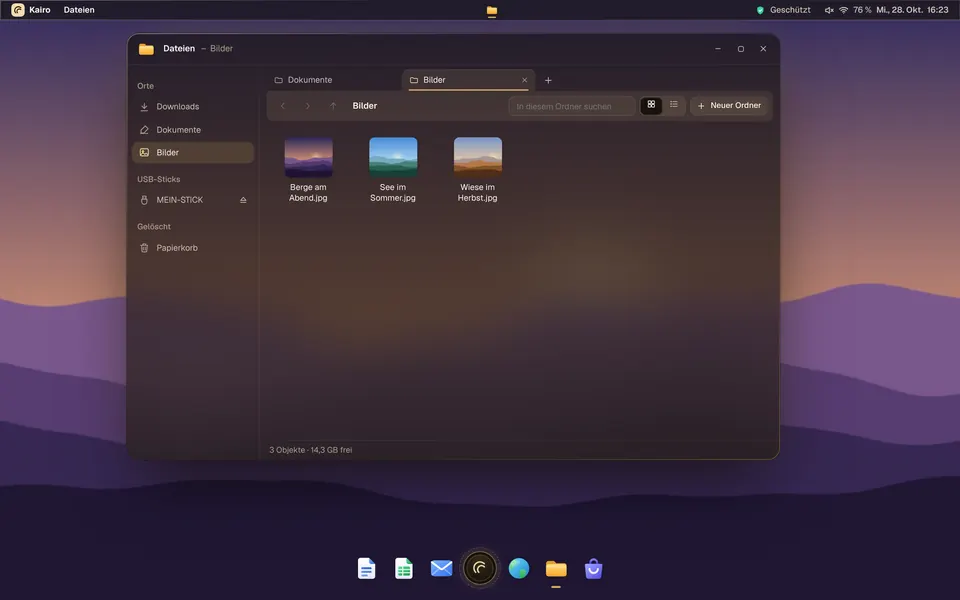
- Dateien (Files)Folders with tabs, USB sticks, the bin and ZIP archives.
- Ansicht (Viewer)Flip through photos and read PDFs.
- Rechner (Calculator)Calculator, scientific too.
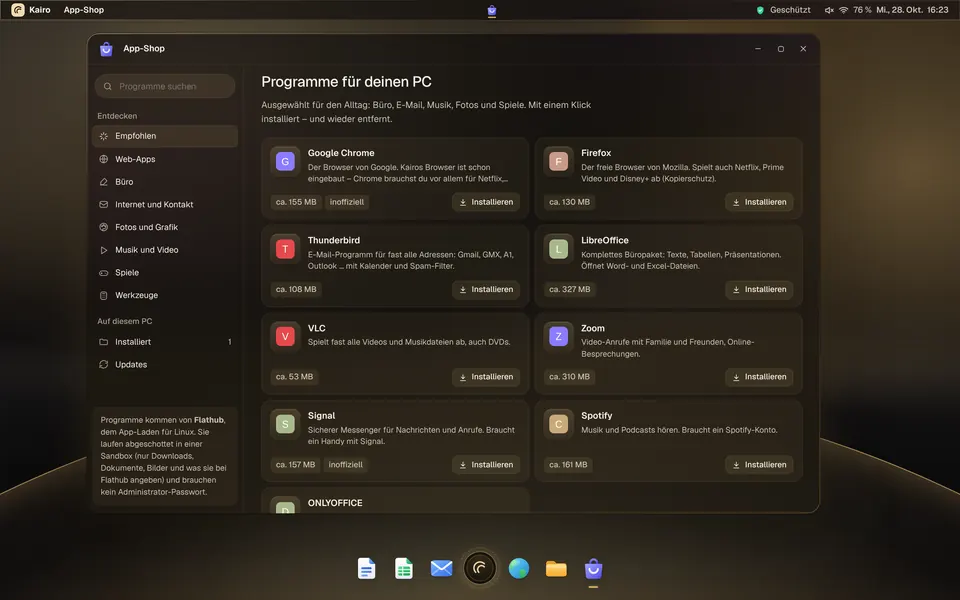
App-Shop
Get more whenever you want.
Web apps like YouTube, ORF ON, WhatsApp, willhaben or FinanzOnline go into the Kairo button with one click. Programs like VLC, Zoom, GIMP, Signal or Spotify come from Flathub.
- Install, update and remove with one click.
- Programs run sealed off in a sandbox and update themselves.
- Search finds everything on Flathub.
The app shop needs internet; the first program downloads 0.4 to 0.6 GB of building blocks once. After the 30 trial days, new programs and web apps come with the licence. The names belong to their owners.
Protection and speed
Safe. And quick.
Protection from scam sites
Kairo blocks known malware and scam sites for all programs – via the non-profit service Quad9.
Windows viruses don’t run
Kairo isn’t Windows. Programs from the app shop run sealed off in a sandbox.
Updates by themselves
Once installed, Debian security updates arrive in the background – including for the browser and LibreOffice.
Time Travel for your folders
The Guard backs up Documents, Pictures and more every 15 minutes when something changes – on the same PC, and to a USB stick if you like.
Adapts to your PC
Four tiers from Feder to Aura. If something stutters, Kairo switches down by itself.
Performance at a glance
Processor, memory and battery live – Save or Full power with one click.
No protection catches everything – stay careful with unexpected emails and payment requests. More under What you should know first.
All this for €19.
Once.
No subscription and no ads. The licence is valid for one PC with no time limit. For comparison: a basic new PC costs from about €400 in shops.
Incl. 20% VAT. Testing is free, and everything is unlocked for 30 days from installing. Without a licence Kairo keeps running – what’s missing then is listed under Price.